Art of Portraits Branding Photography Headshots Photography Photography Tips
LinkedIn Headshot: How to Optimize Your Photo for Personal Branding
Your LinkedIn headshot is more than just a profile picture, it’s your first impression, your digital handshake, and a key part of your personal branding strategy. Whether you’re a job seeker, entrepreneur, or executive, having a professional headshot that aligns with your brand can make all the difference.
Why Your LinkedIn Headshot Matters?
Your profile photo is one of the first things people notice. A strong LinkedIn headshot can:
- Increase profile views
- Build trust and credibility
- Reflect your professional identity
- Support your personal branding photography goals
Headshot Optimization Tips
1. Dress for Your Industry
Choose attire that reflects your field. A corporate headshot might call for a suit, while a branding photo for creatives could be more relaxed and expressive.
2. Choose the Right Background
The background of your headshot plays a key role in how your image is perceived.
- An environmental headshot uses a contextual background—like an office, cityscape, or creative workspace—to add personality while keeping the focus on you. It’s ideal for professionals who want to showcase their work environment or lifestyle.
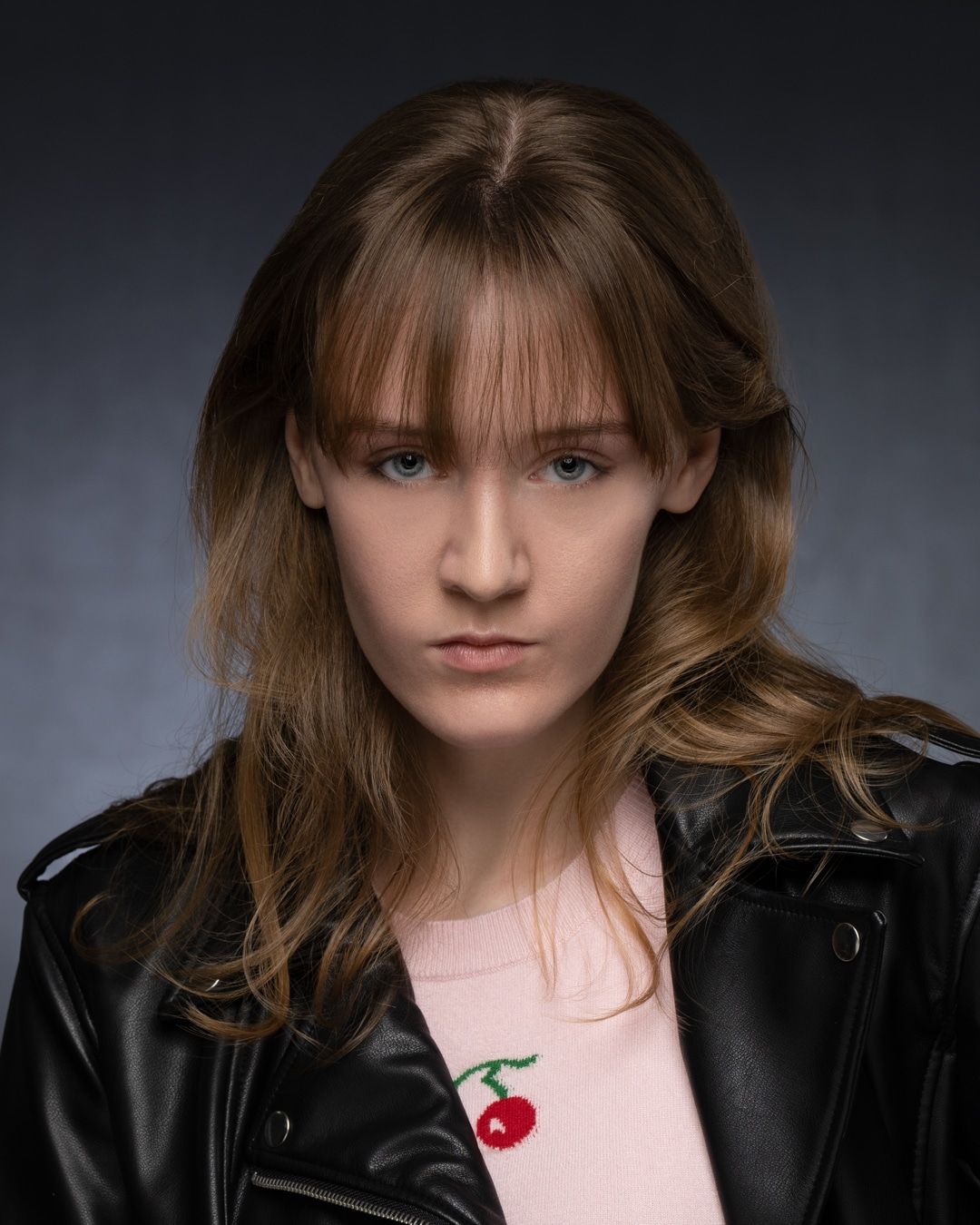
- A solid background, such as white, gray, or a brand-specific color, offers a clean and distraction-free look. It’s perfect for a corporate headshot or when consistency across team photos is important. Solid backgrounds also help your profile photo stand out clearly in LinkedIn’s circular crop.
Choose a background that complements your brand and aligns with your industry.
3. Use Natural or Studio Lighting
Lighting plays a crucial role in how your headshot is perceived.
- Natural lighting creates a warm, approachable look—ideal for a LinkedIn profile photo that feels authentic and relaxed. It’s especially effective for outdoor or environmental headshots.
- In-studio lighting, on the other hand, offers precision and control. It’s perfect for achieving a polished, professional appearance with consistent results. Studio setups allow photographers to sculpt light to highlight your best features and create a clean, distraction-free background.
Whether you choose natural or studio lighting, the goal is to ensure your photo reflects your brand and personality.
4. Express Your Brand
Think about how you want to be perceived: confident, approachable, innovative? Your expression, posture, and styling should reflect these traits.
5. Hire a Headshot Photographer
A professional headshot photographer understands how to capture your best angles and bring out your personality.
6. Follow LinkedIn Photo Guidelines
To ensure your headshot looks sharp and professional on LinkedIn, follow these technical recommendations:
- Recommended resolution: 400 x 400 pixels with a 1:1 aspect ratio
- Supported formats: JPG and PNG
- Maximum file size: 8MB
- Higher resolution is better: You can upload larger images to maintain sharpness, as long as they stay within the 8MB limit
- Use a clean background: A simple, uncluttered background keeps the focus on your face
- Centered headshot: Make sure your face is centered and well-lit for a polished, professional look
These small details can make a big difference in how your profile photo appears across devices and search results.
Final Thoughts
Your LinkedIn headshot is a powerful tool for personal branding. By using the right keywords and visual strategies, you can create a photo that not only looks great but also works hard for your career.
Ready to upgrade your LinkedIn presence?
Let’s create a headshot that tells your story.
Book Your LinkedIn Headshot Today
Ready to make a lasting impression on LinkedIn? Let’s create a headshot that reflects your brand, boosts your visibility, and sets you apart.
Schedule your session now with Art of Portraits and take the first step toward a more confident, professional online presence. Book today!
Share